Murf AI Review 2026: AI voice tools are everywhere right now. From YouTube channels to online courses and ads, more creators are using text-to-speech than ever before.
But here’s the honest problem. Most tools either sound great but feel complicated… or are easy to use but sound like a GPS from 2012.
That’s where Murf AI comes in.
It positions itself as the “easy” AI voice generator. Clean interface, simple workflow, and studio-style editing without needing actual studio skills.
Sounds ideal, especially for beginners. But is it actually worth using in 2026?
Let’s break it down.
What is Murf AI? (Murf AI Review Overview)
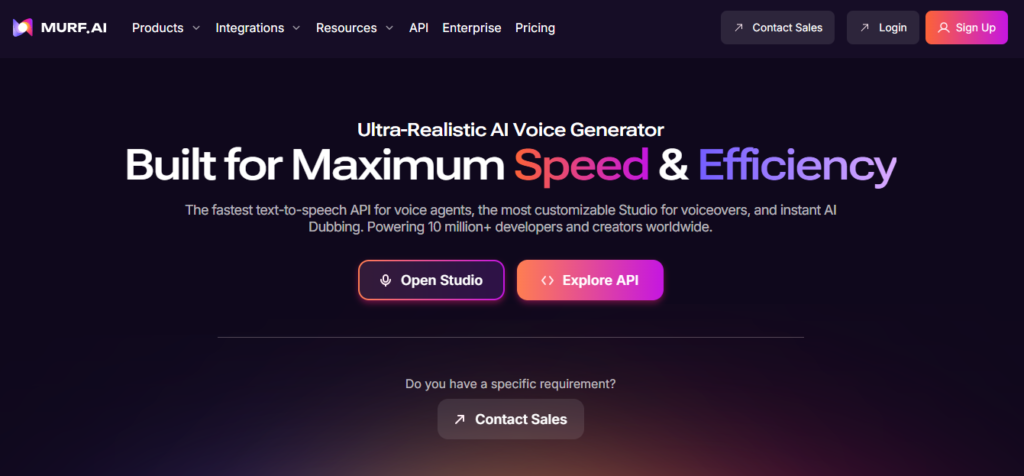
Murf AI is a cloud-based text-to-speech platform designed mainly for creators who want professional voiceovers without recording their own voice.
It’s widely used by:
- YouTubers
- course creators
- marketers
- freelancers
- small businesses
Unlike more technical tools, Murf focuses on simplicity.
You don’t need to understand APIs or advanced settings. You just:
👉 write your script → choose a voice → adjust → export
That’s it.
And honestly, that’s a big part of its appeal.
If you’re comparing different AI voice tools, you might also want to check our detailed reviews of ElevenLabs and PlayHT to see how they stack up.
👉 Link:
Key Features of Murf AI
Let’s talk about what actually matters when you use it.
AI Voice Generator
You paste your script, select a voice, and generate a voiceover in seconds.
The voices are:
- clear
- professional
- consistent
They don’t always sound as “emotional” as ElevenLabs, but they’re perfect for:
- explainer videos
- tutorials
- ads
- presentations
Basically, anything that needs clarity over drama.
Studio Editor (Big Advantage)
Voice Customization
This is where Murf really stands out.
Instead of just generating audio, it gives you a timeline editor, almost like a video editing tool.
You can:
- split sentences
- add pauses
- adjust pitch
- sync voice with visuals
This makes it super useful for people creating:
- YouTube videos
- online courses
- product demos
Compared to tools like PlayHT, Murf feels more “visual” and easier to control.
Murf allows you to tweak how the voice sounds.
You can adjust:
- speed
- pitch
- emphasis
- pauses
It’s not as advanced as full voice cloning, but for most users, it’s more than enough.
Think of it like adjusting a speaker rather than building one from scratch.
Built-in Media Library
This is a feature people don’t talk about much.
Murf gives access to:
- background music
- stock visuals
- basic media elements
So instead of using 3 different tools, you can create a basic voiceover project in one place.
Is it professional-level editing? Not really.
But for beginners, it’s very convenient.
Voice Over Video
You can upload your video and directly sync voiceover inside Murf.
This is a big deal for:
- YouTube automation
- ads
- presentations
Instead of exporting audio and then syncing in another software, you do it all in one dashboard.
Less headache. More speed.
Murf AI Pricing
Let’s talk money.
Murf is not the cheapest tool, but it’s also not overpriced for what it offers.
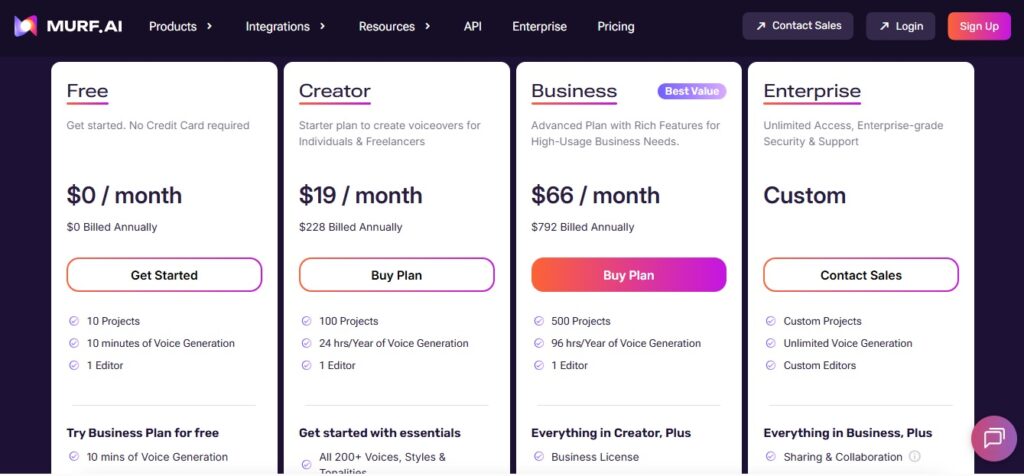
Free Plan
You can test voices and features.
But exports are limited, so it’s mainly for trying things out.
Basic Creator Plan
Good for beginners.
You get:
- limited voice generation
- access to standard voices
- basic features
Business Plan
This is where most serious users go.
Includes:
- more voice minutes
- premium voices
- full editor access
Enterprise Plan
For teams and businesses.
Includes:
- collaboration features
- higher limits
- advanced support
👉 Simple breakdown:
- beginners → Basic
- creators → Pro
- teams → Enterprise
Want to try this yourself?
👉 Try Murf AI Free
Pros and Cons
No sugarcoating.
Pros
- very easy to use
- clean interface
- built-in editor saves time
- great for beginners
- all-in-one workflow
Cons
- not the most realistic voices
- limited advanced features
- no strong API focus
- can feel restrictive for power users
Murf AI vs ElevenLabs vs PlayHT
Let’s settle this properly.
Voice Quality
- ElevenLabs → most realistic
- PlayHT → very strong
- Murf AI → good, but more “studio-like”
Ease of Use
- Murf AI → easiest (no competition here)
- ElevenLabs → simple
- PlayHT → more technical
Features
- PlayHT → most powerful
- Murf AI → best editor
- ElevenLabs → best voice realism
Best For
- Murf AI → beginners & creators
- ElevenLabs → storytelling & narration
- PlayHT → developers & advanced users
👉 Simple conclusion:
If you hate complicated tools, Murf is your best friend.
Who Should Use Murf AI?
Murf is perfect for:
- beginners starting with AI voice
- YouTubers making faceless videos
- course creators
- marketers
- freelancers
If you just want results without learning technical stuff, this tool makes sense.
Real Use Cases
Here’s where Murf actually shines.
YouTube Videos
Create voiceovers for faceless channels quickly.
Online Courses
Professional narration without recording your own voice.
Ads & Marketing
Clear, clean voiceovers for promotions.
Presentations
Turn boring slides into engaging content.
Is Murf AI Worth It in 2026?
Short answer: yes, but with context.
If you’re a beginner or someone who values simplicity, Murf is one of the easiest tools to start with.
If you’re looking for ultra-realistic storytelling or advanced integrations, you might feel limited.
So it depends on your goal.
Final Verdict
Murf AI doesn’t try to be the most advanced tool. It tries to be the most usable one.
And honestly, it does that really well.
You get a clean interface, solid voice quality, and a built-in editor that saves time and effort.
It’s not perfect. Power users might outgrow it.
But for most creators, especially beginners, Murf AI hits the sweet spot between simplicity and functionality.