
AI Video Tools

AI Writing Tools, AI Video Tools

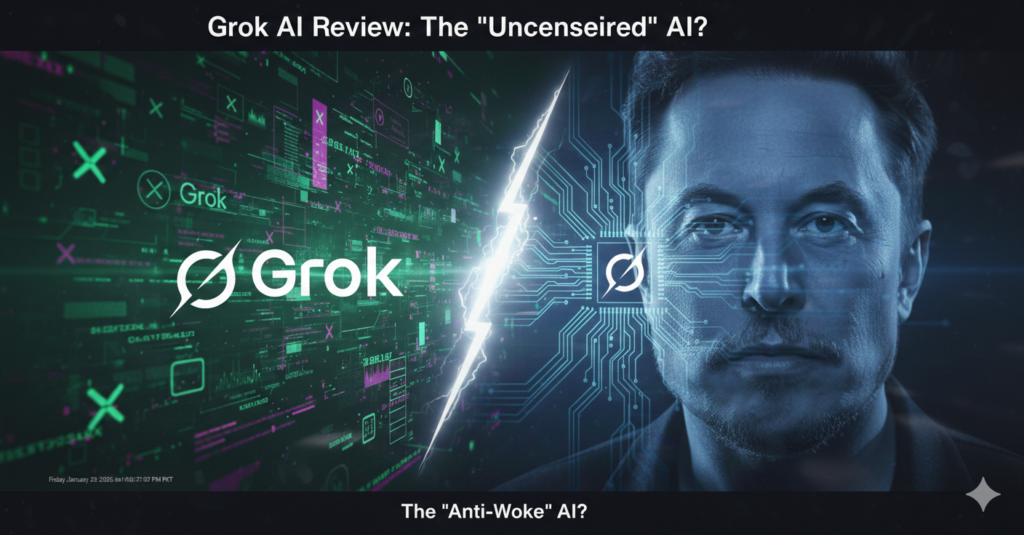
Grok AI Review 2026 – Is Elon Musk’s Uncensored AI Better Than ChatGPT & Gemini?

Grok AI Review : What is Grok AI? In this Review of Grok AI vs ChatGPT and Gemini we explore that Grok AI is an artificial intelligence chatbot developed by xAI, a company founded by Elon Musk. Unlike traditional AI tools, Grok is designed to provide real-time answers using data from X (formerly Twitter) and offers a more humorous, less filtered response style. Let’s be real—sometimes AI can be a bit too “stiff.” If you ask most AI bots a controversial question, they’ll give you a pre-programmed, safe answer. Enter Grok AI. Built by Elon Musk’s xAI, Grok is designed to have a bit of wit, a rebellious streak, and most importantly, access to real-time data from X (formerly Twitter). I’ve been playing around with Grok lately, and here is what makes it different from the “goody-two-shoes” bots like Gemini or ChatGPT. Real-Time X (Twitter) Integration This is Grok’s superpower. While ChatGPT and Gemini rely on web crawls, Grok has a direct pipeline to what’s happening on X right now. If there’s a breaking news story or a trending meme, Grok knows about it before anyone else. The “Fun Mode” vs. “Regular Mode” Grok has a personality toggle. Regular Mode: Gives you straight, factual answers. Fun Mode: This is where Grok gets spicy. It uses sarcasm, cracks jokes, and isn’t afraid to “roast” you. Is it actually “Uncensored”? Musk promised an AI that seeks the “absolute truth.” While it still has some safety guardrails, Grok is much more open to discussing edgy topics that Gemini or ChatGPT might decline. For creators who want a raw perspective, this is refreshing. Is Grok AI Free to Use? Grok AI is not completely free. To access Grok AI, users currently need an X Premium subscription. Unlike ChatGPT or Google Gemini, Grok is bundled with a paid social media plan, which may be a downside for casual users. Grok vs. The Giants Feature Grok AI ChatGPT Google Gemini Personality Witty & Sarcastic Helpful & Polite Professional & Informative Data Source Real-time X (Twitter) Web Crawl (Bing) Google Search Availability X Premium Subscribers Free & Plus Users Free & Advanced Quick Snapshot: Grok AI Uncensored Compared to ChatGPT – Grok AI often shares real-time content from X (Twitter), making it feel more uncensored – ChatGPT focuses on safety and policy limits that avoid certain answers – Grok may reflect trending unfiltered data; ChatGPT is more stable and verified Is Grok AI More Uncensored Than ChatGPT? One of the most common questions people search on Google is whether Grok AI is more uncensored than ChatGPT.Grok AI is designed to be less filtered and more open to controversial topics compared with ChatGPT’s safety and policy limits.In practical use, Grok may provide edgier or more direct responses, but that also means it can sometimes repeat misinformation or extreme content that ChatGPT would avoid.So while Grok AI can feel “more uncensored,” it comes with trade-offs you should understand before choosing which AI to rely on. “If you are comparing AI freedom and safety, you may also want to read our detailed.[Google Gemini vs ChatGPT]” Grok AI FAQs Is Grok AI uncensored compared to ChatGPT? Grok AI is designed to be less filtered than ChatGPT, allowing it to discuss trending and controversial topics more openly. However, it still has some safety limitations and is not completely uncensored. Is Grok AI more uncensored than ChatGPT? Yes, Grok AI often feels more uncensored because it pulls real-time data from X and applies fewer restrictions than ChatGPT, which follows stricter safety and policy guidelines. What makes Grok AI different from ChatGPT? Grok AI focuses on real-time information and a more humorous, less filtered personality, while ChatGPT prioritizes accuracy, safety, and structured responses. Is Grok AI safe to use? Grok AI is generally safe to use, but because it relies on real-time social data, users should verify information independently, especially on sensitive topics.
AI Video Tools

Pictory AI Review 2026: Is It Still the Best Video Creation Tool?

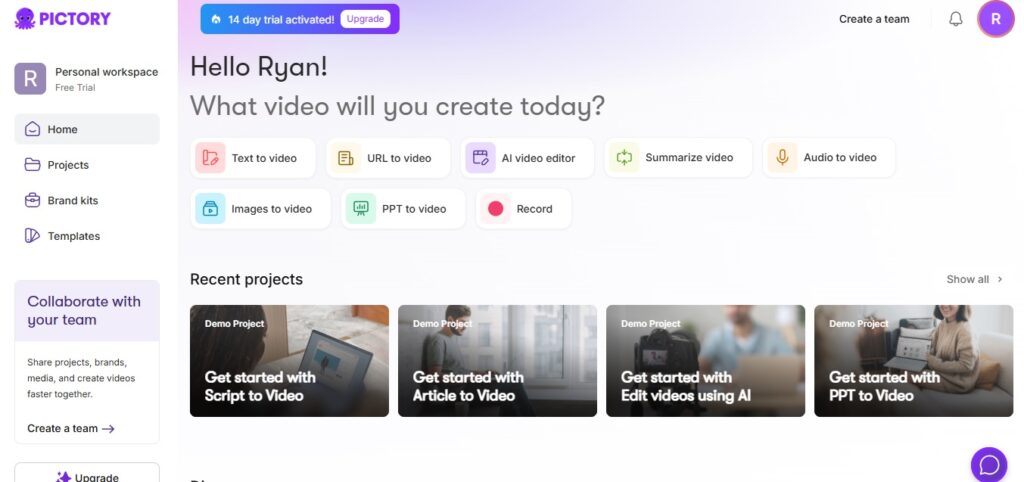
Introduction Let’s be honest: Video editing is a nightmare if you aren’t a pro. I’ve spent countless hours trying to sync subtitles and find the right stock footage. That’s where Pictory AI comes in. As someone who’s always scouting for tools to make life easier, I put Pictory to the test for a month. Here’s my honest breakdown of whether it’s worth your money in 2026. What is Pictory AI? Pictory is an AI-powered video generator that turns long-form content (like blogs or scripts) into short, highly engaging videos. It’s built for YouTubers, marketers, and course creators who want to create content fast without showing their faces. Key Features I Love: Script to Video: You just paste your script, and the AI finds matching stock footage from its library of millions of clips. Blog to Video: Give it a URL, and it summarizes your article into a video. (Great for Subzify’s traffic!) Auto-Captions: It adds subtitles automatically with 95% accuracy. AI Voiceovers: The new 2026 updates have voices that sound incredibly human, not like robots. The Pros & Cons (The Ryan Carter Checklist) Pros No technical skills required. Massive library of Getty Images & Videos. Extremely fast rendering. Cons The AI sometimes picks “weird” stock footage. Free trial has a watermark. Customization can be limited for pro editors. Who is this for? If you are a YouTube Automation enthusiast or a Social Media Manager, Pictory is your best friend. However, if you are a professional filmmaker wanting “cinematic” control, this might feel a bit basic. Pricing: Is it worth it? Pictory offers a free trial, but the real power is in the Professional Plan. Ryan’s Tip: Use a coupon code (I’ll list them below) to save some cash on the yearly plan. Final Verdict: 8.5/10 Pictory AI remains a top-tier tool for content creators. It saves time, and in the world of AI, Time = Money. If you want to compare this with another top-tier tool, check out my InVideo AI Review here.

AI Video Tools

InVideo AI Review 2026: The Ultimate Text-to-Video Tool for Creators?

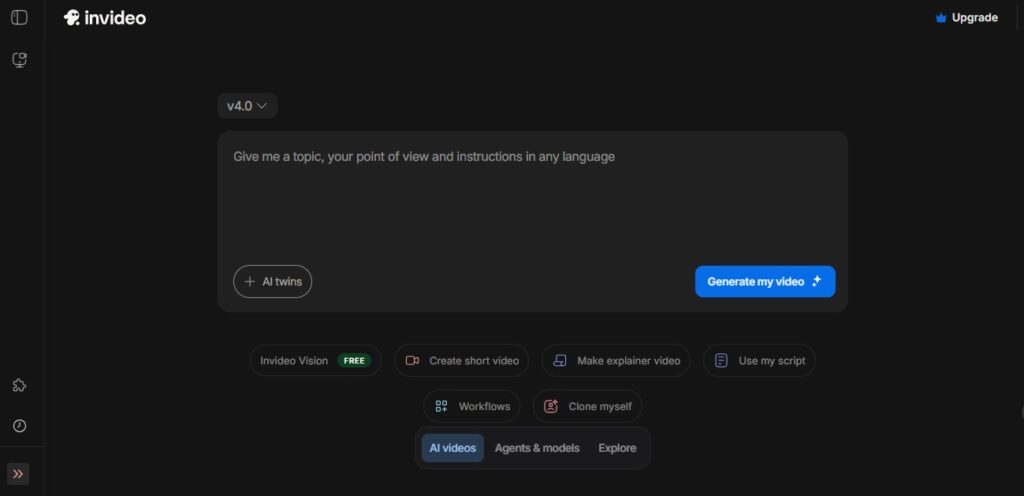
1. Introduction Let’s be honest—I used to spend hours hunched over my laptop, obsessing over transitions and searching for that perfect stock clip. It was exhausting. When I first heard about InVideo AI, I was skeptical. Another ‘magic’ AI tool? But after using it for a month to scale my video content, I realized I wasn’t just saving time—I was reclaiming my life. If you’re a creator in the US or UK looking to dominate TikTok or YouTube without burning out, you need to hear this. 2. What is InVideo AI? InVideo AI is a cloud-based video editing platform powered by advanced artificial intelligence. Unlike traditional editors where you do the heavy lifting, InVideo AI handles the entire production pipeline. From scriptwriting and voiceovers to media selection (stock footage) and transitions, the AI does it all based on your instructions. It’s essentially like having a professional video editor available 24/7. 3. Key Features That Stand Out What blew me away was the Edit Command box. I literally typed ‘Make it more energetic,’ and the AI swapped the music and sped up the cuts. It felt like having a pro editor sitting right next to me. Prompt-to-Video Magic: The core of the platform. You can simply type a command like “Create a 60-second video about the history of New York City for a YouTube Short,” and the AI will generate a complete video with a script and relevant visuals. Human-Like AI Voiceovers: Forget robotic voices. InVideo AI offers a massive variety of natural-sounding American and global accents that sound genuinely human. Massive Stock Library: You get instant access to over 8M+ premium media assets from industry giants like Shutterstock and Getty Images, ensuring your videos look high-end. Real-time Edit Command Box: This is a standout feature. Want to make a change? Just type it. For example, “Change the background music to upbeat jazz” or “Make the second scene shorter,” and the AI updates it instantly. 4. Who is InVideo AI For? YouTube Creators: Specifically those running “Faceless” or Cash Cow channels who need to scale content quickly. Digital Marketers: Perfect for building high-converting ads for Facebook, Instagram, or TikTok in minutes. Small Business Owners: Ideal for entrepreneurs who want a professional brand presence without the overhead cost of a video production team. 5. Pros and Cons (The Honest Truth) The Pros: ✔️ Incredible Time-Saver: What used to take 5 hours now takes 5 minutes. ✔️ No High-End PC Required: Since it’s cloud-based, it runs perfectly in your browser. ✔️ User-Friendly: You don’t need any prior editing experience to get professional results. The Cons: ❌ Watermarks: The free version includes watermarks on your exports. ❌ Human Touch Needed: Look, it’s not perfect. Sometimes the AI picks a clip that’s a bit too ‘stock-ish’ for my taste, but a quick manual swap fixes that in seconds. 6. Pricing & Plans (All prices in USD) Free Plan: Perfect for testing the water and seeing how the AI works. Plus Plan: $20/month (billed annually) — Ideal for individual creators. Max Plan: $48/month (billed annually) — Best for growing teams and high-volume content creators. 7. Verdict: Is It Worth It? For creators looking to scale their content in the competitive US and UK markets, InVideo AI is a must-have tool. It eliminates the technical barriers of video editing, allowing you to focus on strategy and storytelling. If you want to stay ahead of the curve in 2026, this is the tool to do it. 8. Ready to Start Your AI Video Journey? Don’t let manual editing hold your growth back any longer. Experience the power of Generative AI for yourself. 👉 Check out InVideo AI today and create your first video for free! If you want to compare this with another top-tier tool, check out my InVideo AI Review here.

Scroll to Top